Billing Setup
Complete your billing configuration with secure payment processing and ongoing billing management through the dashboard.
Overview
Billing setup in Lenify occurs primarily during the subscription flow and is managed through the dashboard billing section. The system uses Stripe for secure payment processing with PCI compliance.
Initial Payment Setup (During Subscription)
Payment Form Integration
The payment setup is handled through a 3-section progressive form during subscription:
Section 1: Customer Profile
- Customer Name: Required for billing identification
- Address Information: Street address, city, state/province, ZIP code
- Country Selection: Dropdown with 195+ countries (ISO 3166-1 alpha-2 codes)
- Pre-population: Uses existing customer profile data when available
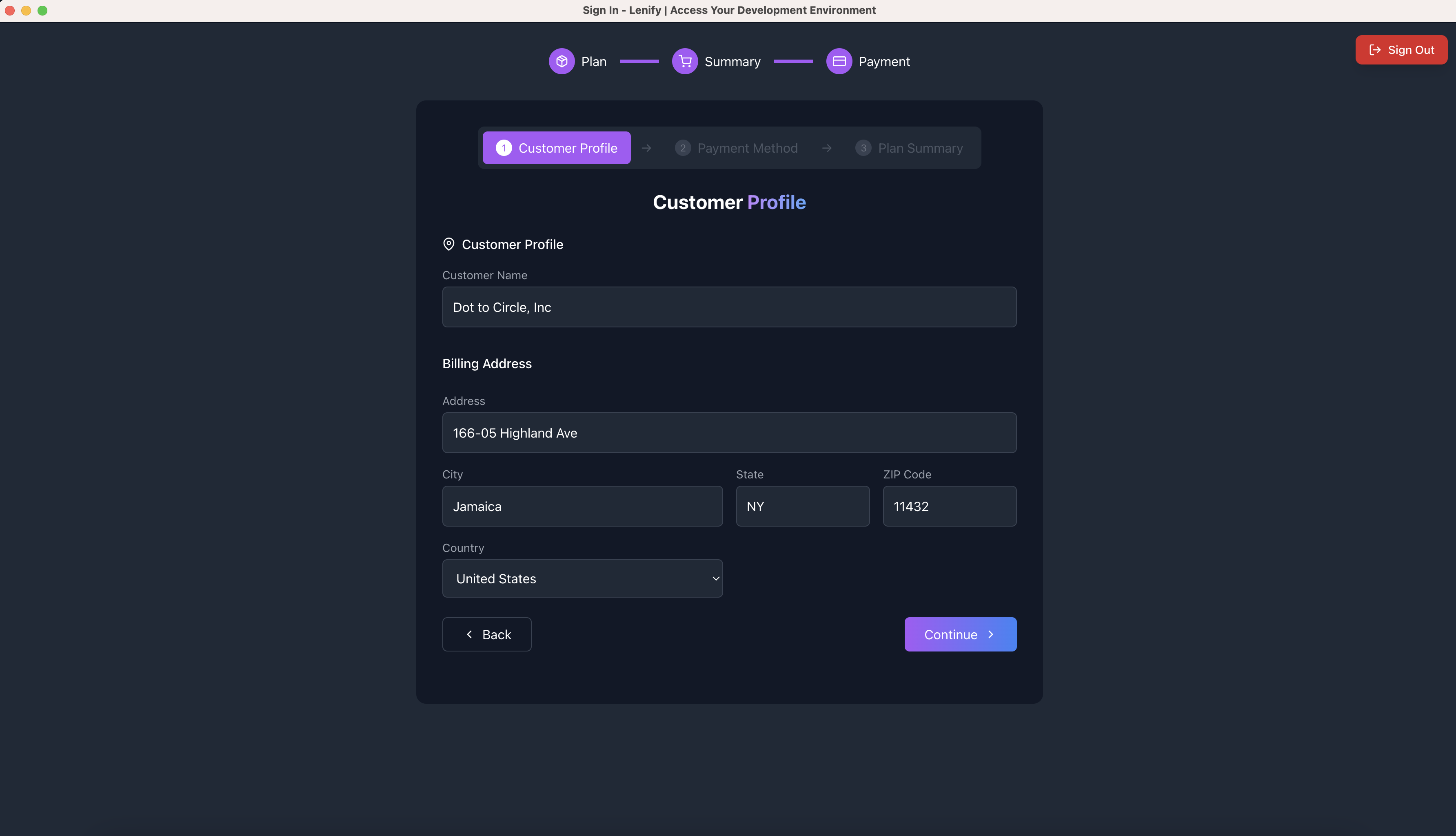 Section 1: Customer profile form showing billing address fields with clean layout and validation
Section 2: Payment Method
- Existing Payment Methods: Radio button selection from saved cards (if any exist)
- New Payment Method: Stripe Elements integration for secure card entry
- Card Details: Number, expiry, CVC, cardholder name
- Real-time Validation: Card brand detection and format validation
- Security: PCI-DSS compliant processing, no local storage
 Section 2: Payment method interface showing saved payment options and new card form with security features
Section 3: Subscription Summary
- Order Review: Plan details, billing cycle, member count, pricing
- Final Confirmation: Total amount calculation with yearly savings display
- Payment Processing: Stripe payment authentication with loading states
- Success Handling: Automatic redirect to dashboard upon completion
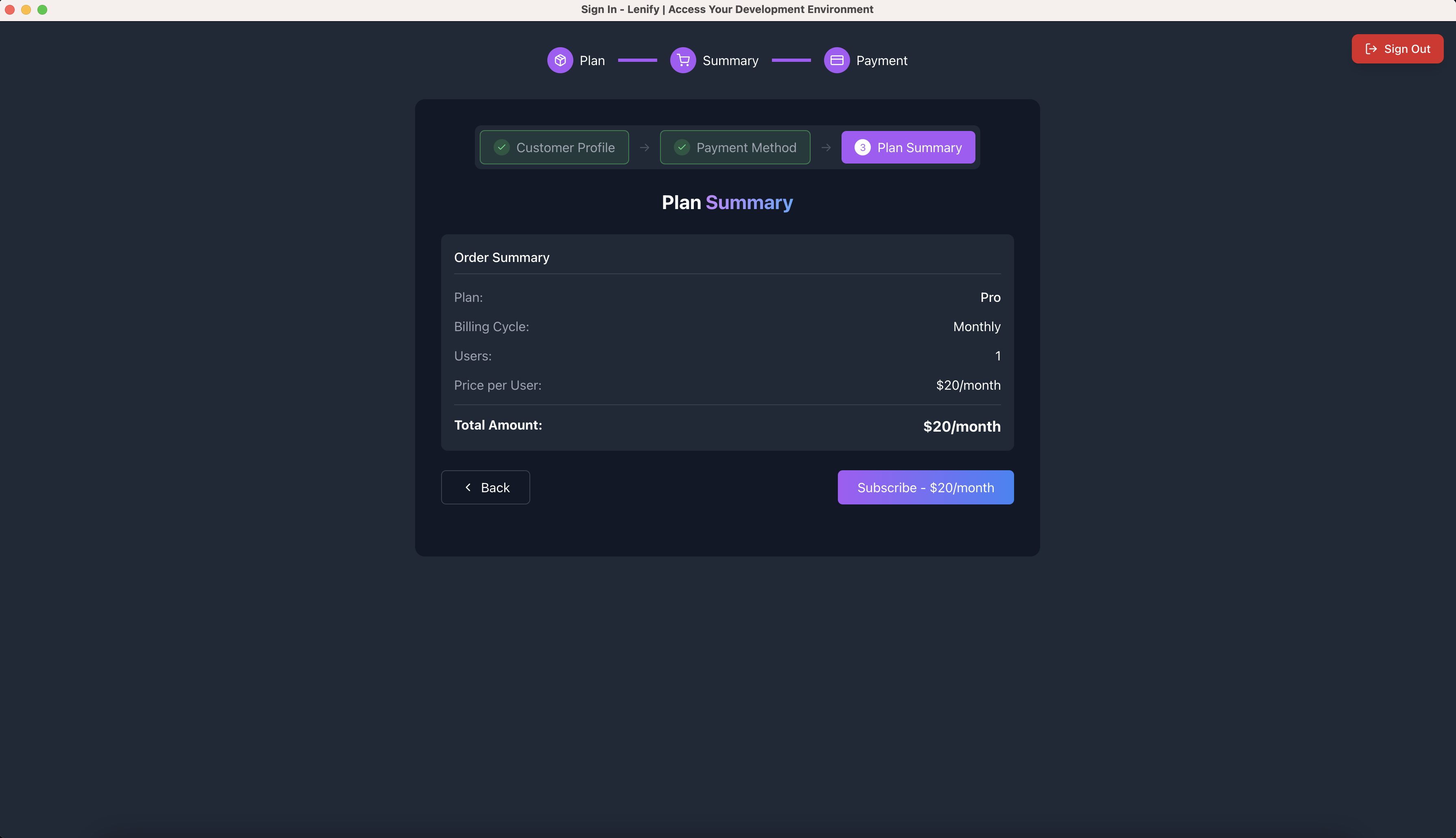 Section 3: Final order summary and subscription processing interface with payment confirmation
Supported Payment Methods
Credit/Debit Cards:
- Visa, MasterCard, American Express
- International cards accepted
- Real-time validation and fraud detection
Payment Security:
- Stripe Integration: Industry-standard payment processing
- PCI Compliance: Certified secure handling
- No Local Storage: Payment data never stored locally
- SSL Encryption: All transactions encrypted in transit
Dashboard Billing Management
Payment Methods Management
View Payment Methods:
- Display all saved payment methods with card brand and last 4 digits
- Default payment method indication
- Expiration date tracking
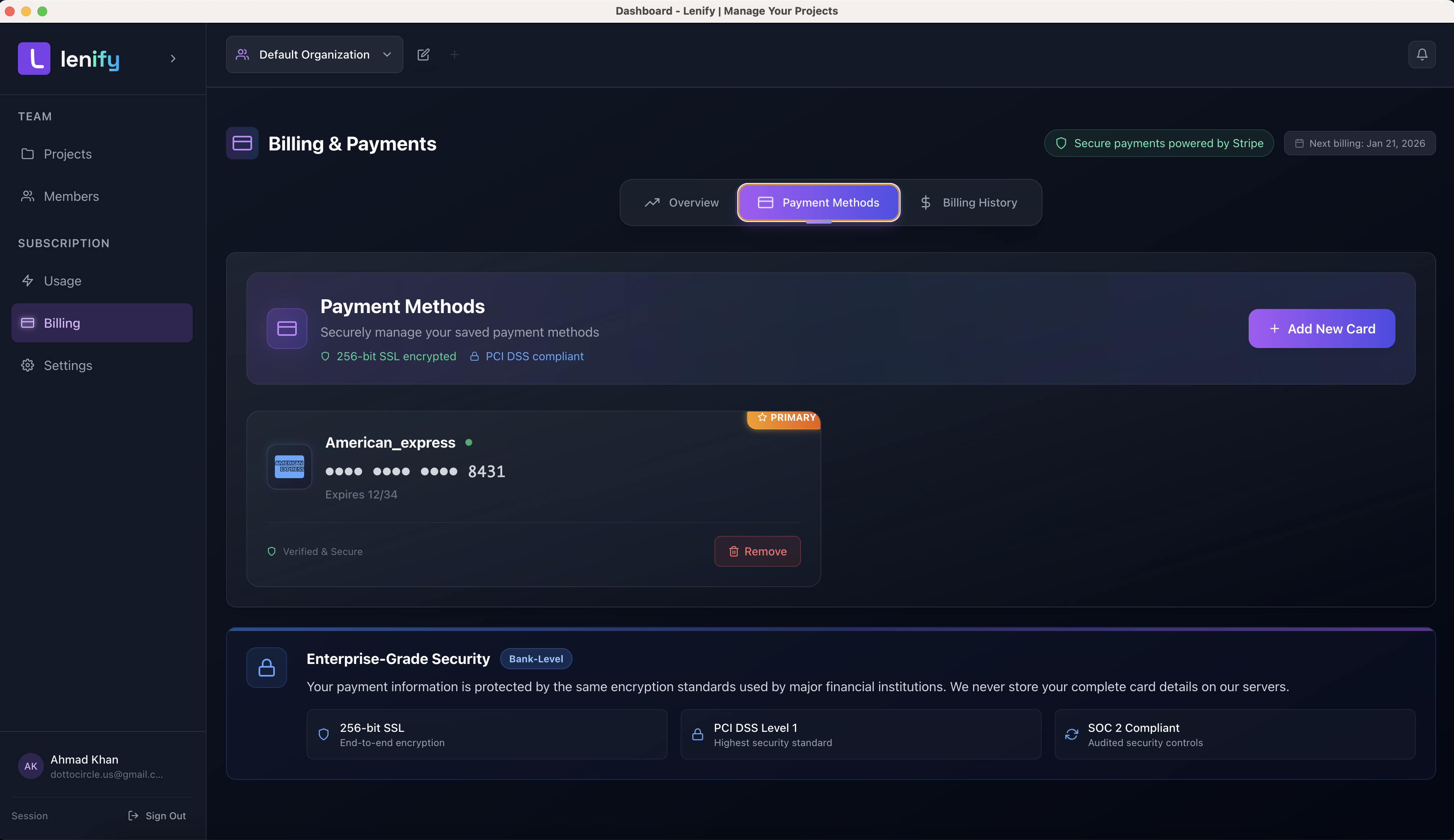 View of saved payment methods showing card details, default indicators, and expiration tracking
Add New Payment Method:
- Stripe Elements form for secure card entry
- Real-time validation and processing
- Automatic default assignment for first card
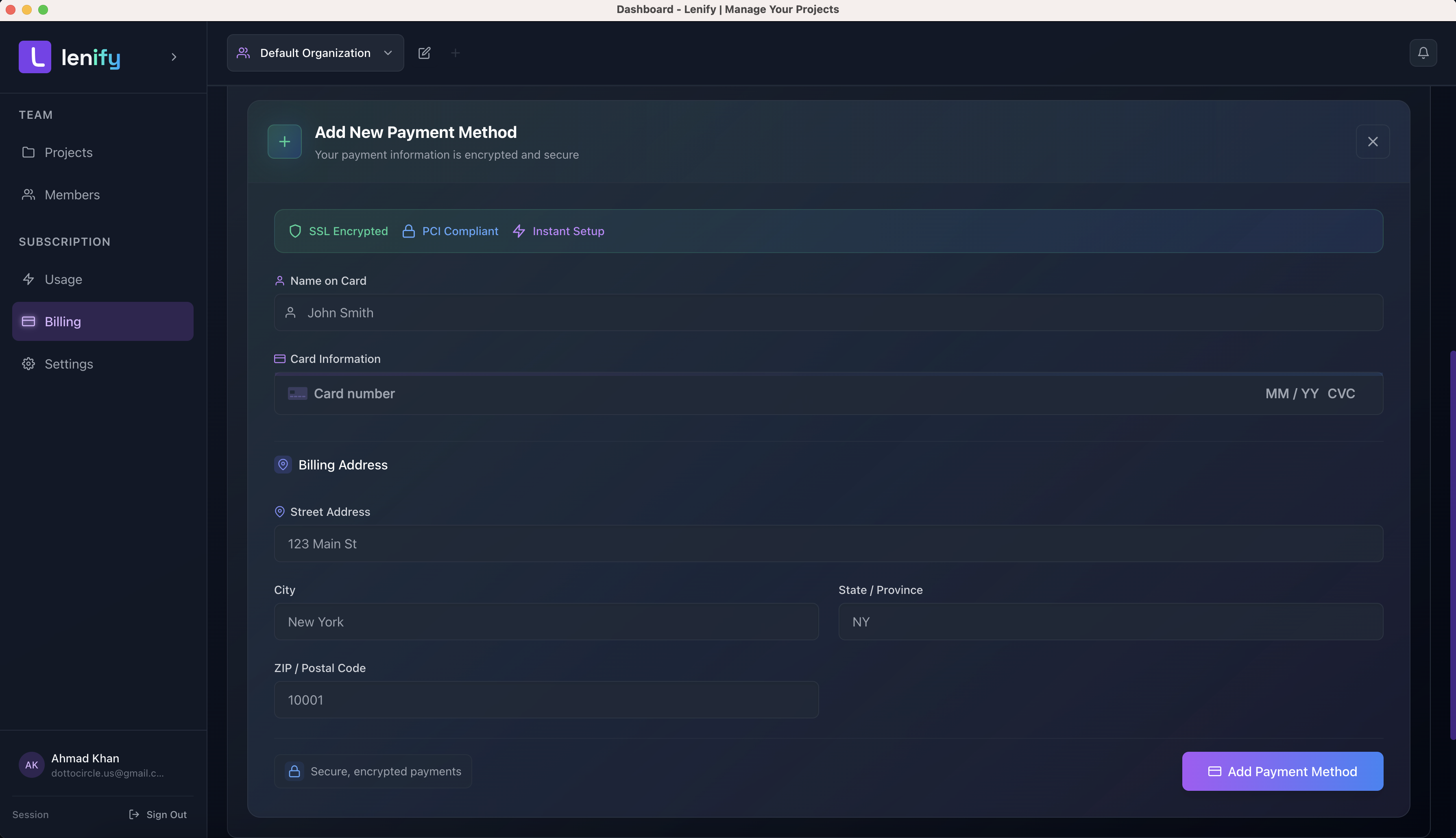 Add new payment method interface with Stripe Elements form and security validation
Manage Existing Methods:
- Set new default payment method
- Remove payment methods (with validation for default method)
- Security indicators and encryption badges
Billing Information Display
Current Subscription Overview:
- Plan name and tier display
- Billing cycle (Monthly/Yearly)
- Next payment date and amount
- Active status indicator
- Plan change navigation
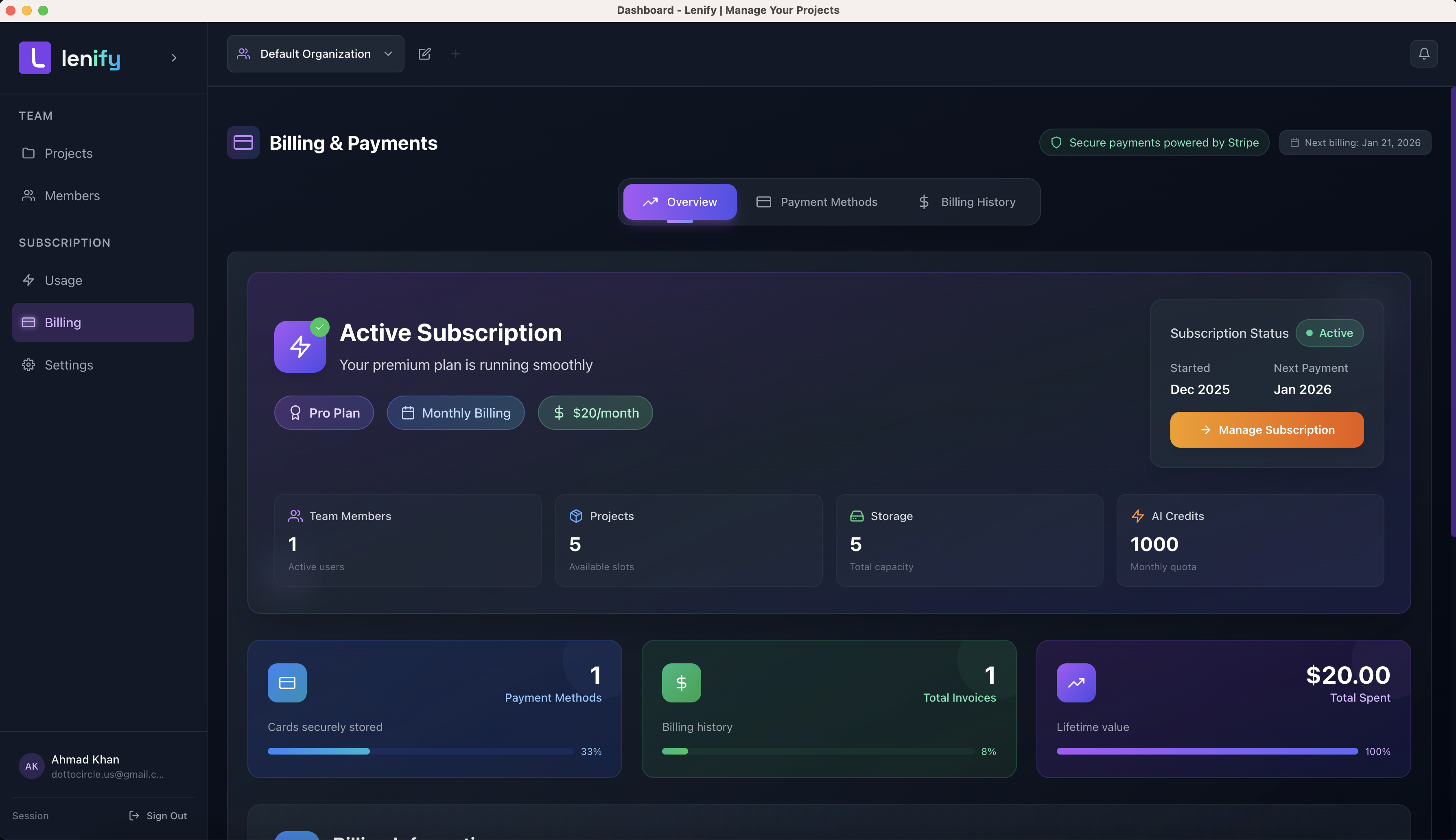 Current subscription display showing plan details, billing cycle, payment information, and navigation options
Invoice Management
Billing History:
- Tabular display of all invoices
- Invoice ID, date, amount, plan, and payment status
- PDF download functionality (placeholder implementation)
- Payment status indicators (Paid/Unpaid)
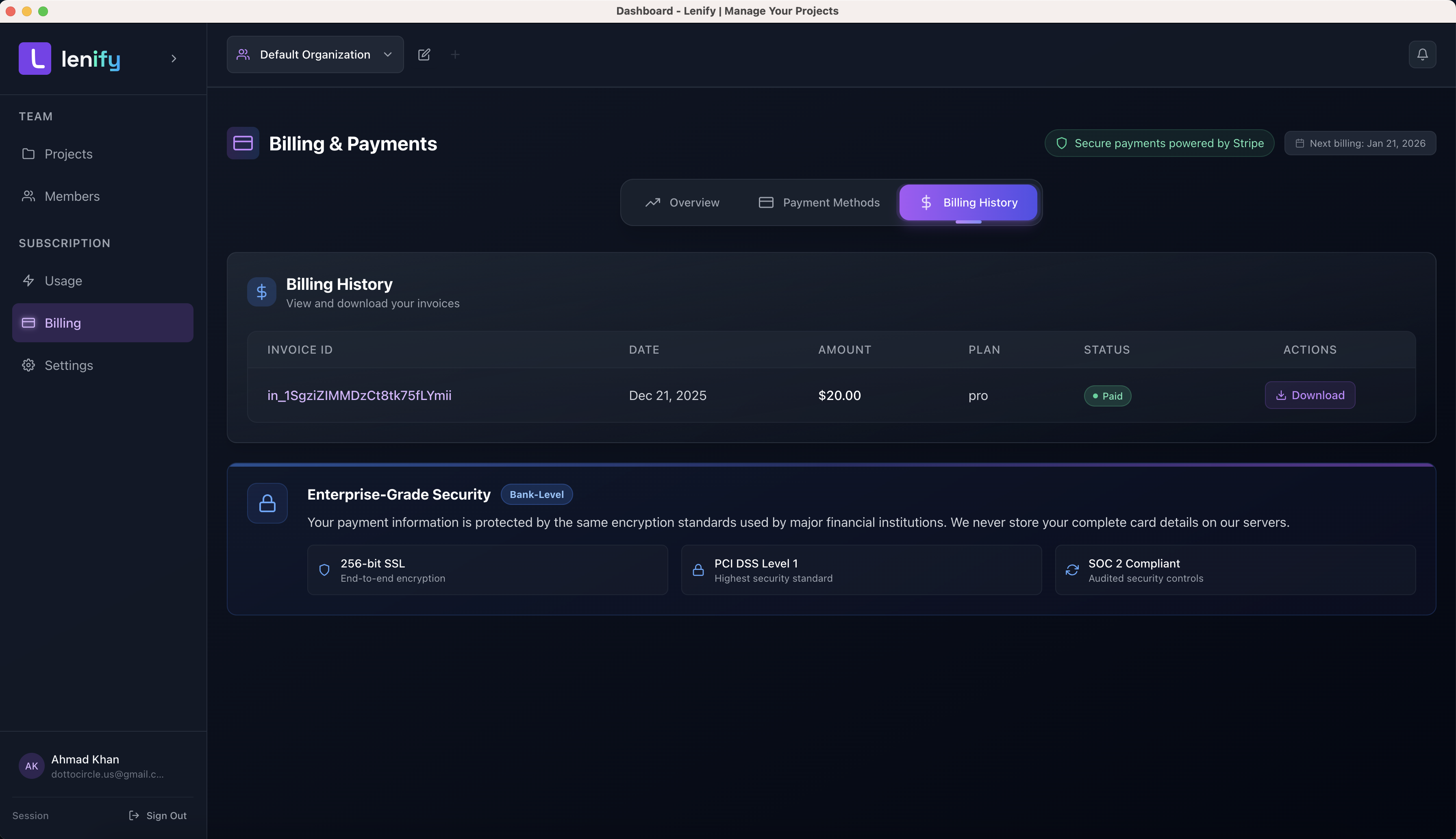 Billing history interface showing invoice table with ID, date, amount, plan, status, and PDF download options
Subscription Controls
Plan Management:
- Navigate to subscription page for plan changes
- Immediate access to upgrade/downgrade options
- Integration with existing subscription flows
Security Features
Data Protection
- PCI DSS Compliance: All payment processing meets industry standards
- Stripe Security: Tokenized payment method storage
- Local Data Policy: No sensitive payment data stored locally
- Encrypted Transit: All API communications use HTTPS/TLS
User Experience Security
- Visual Security Indicators: SSL and PCI compliance badges
- Real-time Validation: Immediate feedback on form inputs
- Error Handling: User-friendly error messages
- Loading States: Clear processing indicators
Troubleshooting
Common Issues
Payment Method Problems:
- Card validation errors: Check card details and format
- Declined payments: Verify card validity and available funds
- Default method conflicts: Only one default method allowed per customer
Billing Information:
- Profile updates: Changes save automatically during payment flow
- Missing information: All required fields must be completed
- Country selection: Uses ISO 2-character country codes
Error Handling
Payment Processing Errors:
- Network issues: Automatic retry mechanisms
- Validation failures: Real-time field-level feedback
- Stripe errors: User-friendly error message translation
- Authentication failures: 3D Secure support when required
Next Steps
Once billing is configured:
✅ Secure Payment Processing - Stripe integration active
✅ Dashboard Access - Full billing management available
✅ Subscription Management - Plan changes and member scaling
✅ Invoice Tracking - Complete billing history access
Continue to Dashboard Overview to access your development workspace and begin building with Lenify's AI-powered development platform.