Blueprint Generation
Transform your project vision into a comprehensive development roadmap using Lenify's AI-powered blueprint generation.
Blueprint Planning Interface
After creating your project, enter the Project Planning page where AI generates your comprehensive blueprint.
Step 1: Describe Your Project Vision
Start the blueprint process by describing your project requirements in detail.
Project Vision Form
Form Components:
- Project Description: Large text area to articulate your complete project vision
- Technology Preferences: Select preferred frameworks and technology stack
- Feature Requirements: List specific features and functionality needed
- User Stories: Describe how users will interact with your application
- Technical Constraints: Any limitations or specific requirements
Best Practices for Descriptions:
- Be Specific: Include detailed requirements rather than general statements
- User-Focused: Describe features from the user's perspective
- Technical Details: Mention specific technologies or integrations needed
- Scope Definition: Clearly define what's included and excluded from the project
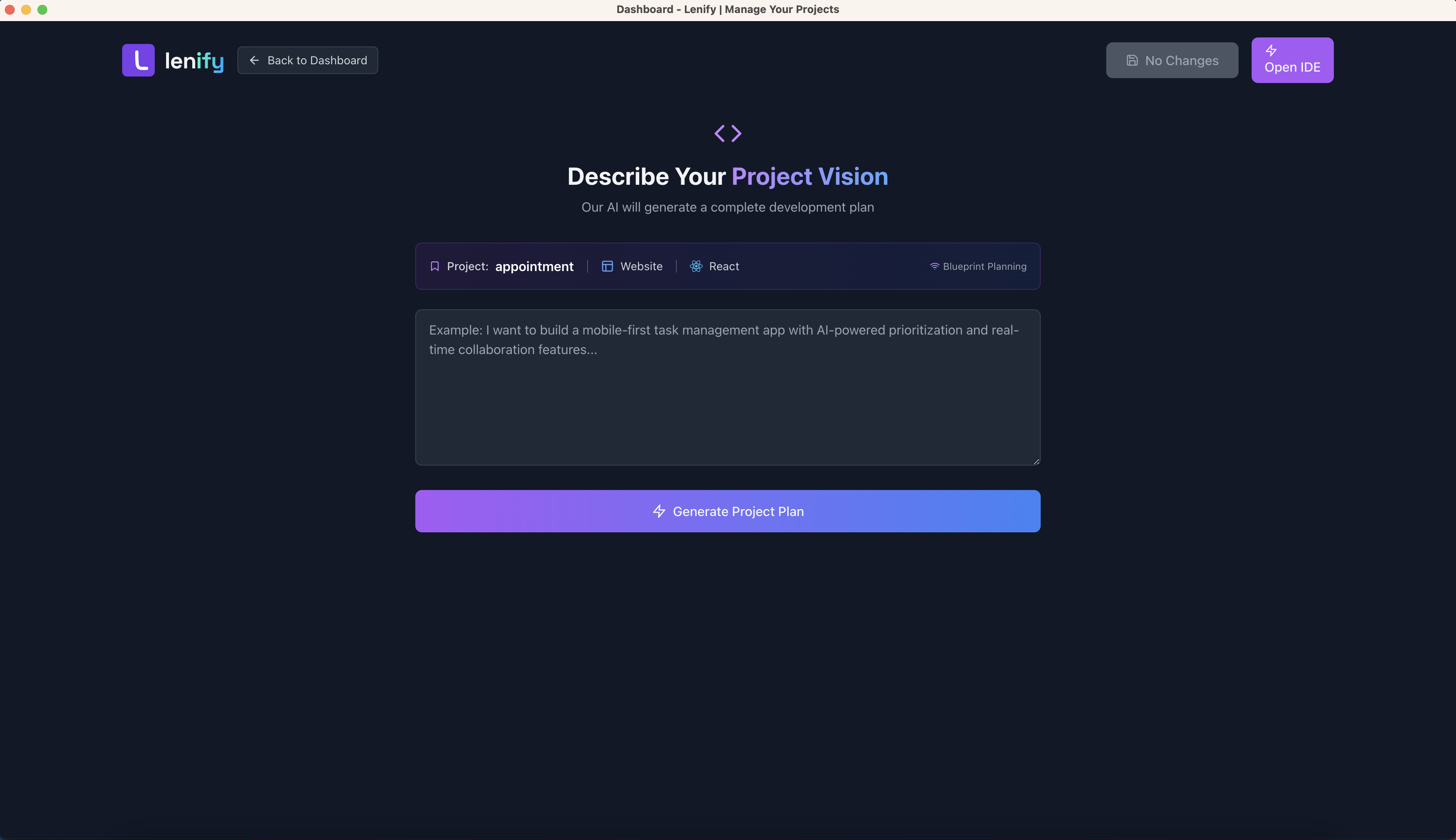 Describe your project requirements and let AI generate a comprehensive blueprint
Step 2: Real-Time AI Blueprint Generation
Experience AI creating your blueprint in real-time with advanced streaming capabilities.
Generation Process
Initiate Generation:
- Click "Generate Project Plan": Start the AI blueprint generation process
- Real-Time Streaming: Watch AI create your blueprint live
- Progress Monitoring: Visual indicators show generation progress
- Interactive Display: Real-time updates with syntax highlighting
Real-Time Features:
- Thinking Phase: Watch AI analyze requirements with typewriter effect
- Blueprint Phase: See features and project structure generated live
- Progress Indicators: Visual progress bars and completion percentages
- Auto-Reconnection: Seamless reconnection if connection is temporarily lost
- Streaming Updates: Real-time display of AI responses with formatting
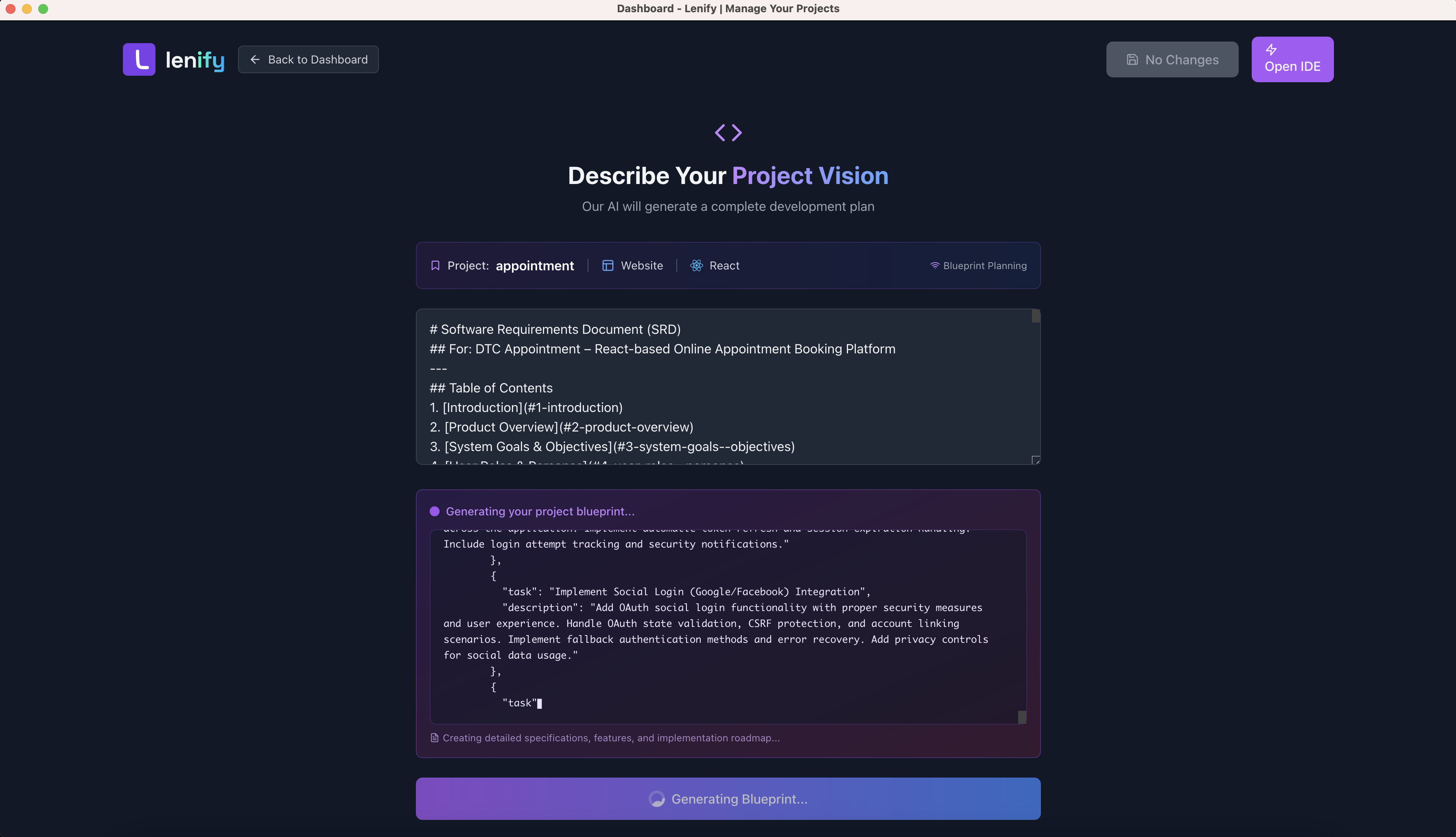 Watch AI analyze your requirements and generate a comprehensive project blueprint in real-time
Generation Monitoring
Progress Tracking:
- Analysis Phase: AI processes your requirements and vision
- Architecture Design: System architecture and component planning
- Feature Definition: Detailed feature breakdown and user stories
- Task Creation: Granular task generation with priorities
- Schema Design: Database and API structure generation
Generated Blueprint Structure
Once generation completes, you'll have a comprehensive blueprint with multiple interconnected sections.
Project Overview Section
Comprehensive Project Information:
- Project Metadata: Name, description, type, and framework information
- Development Timeline: Estimated completion timeframes for each feature
- Technology Stack: Detailed breakdown of frameworks, libraries, and tools
- Architecture Summary: High-level system architecture and design patterns
- Resource Requirements: Team size, skill requirements, and timeline estimates
Feature Management System
AI-Generated Features:
- Feature List: Complete features with detailed descriptions and user stories
- Task Breakdown: Granular tasks with priorities, status tracking, and estimates
- Status Control: Accept ✅, Reject ❌, or Mark for Review ⚠️ each feature
- Drag & Drop Interface: Reorder features by priority using intuitive controls
- Dependency Mapping: Understanding of feature dependencies and relationships
Interactive Controls:
- Click-to-Edit: Inline editing for feature names, descriptions, and task details
- Expandable Sections: Collapse/expand features and tasks for better organization
- Progress Tracking: Visual progress indicators showing development completion
- Real-Time Sync: Automatic saving of changes with unsaved changes indicators
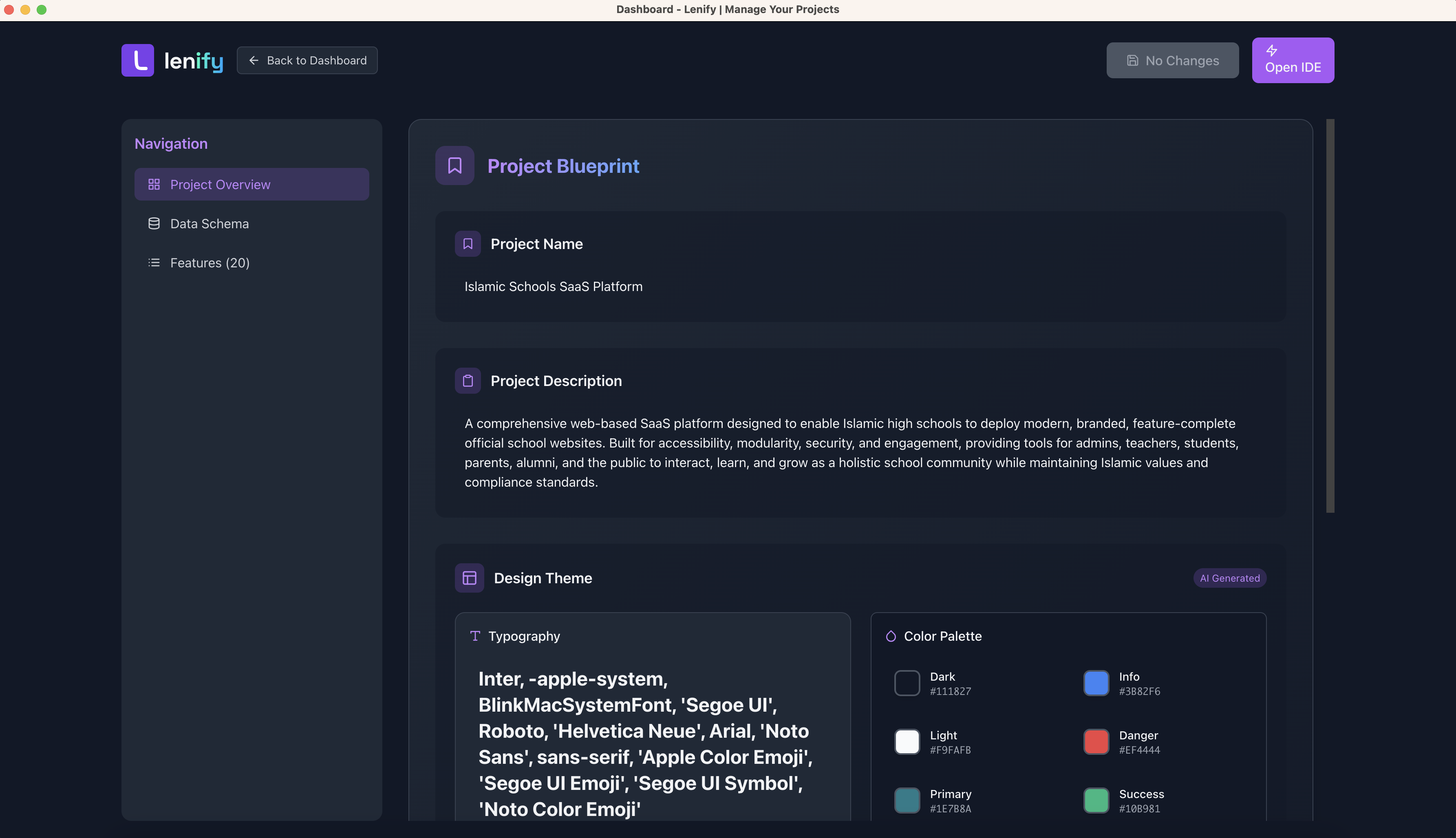 Interactive blueprint management with drag-and-drop features, status controls, and detailed task breakdown
Data Structure Schema
Comprehensive Data Design:
- Database Design: Complete data models with field definitions and relationships
- Entity Relationships: Visual representation of how data entities connect and interact
- API Endpoints: RESTful API structure with request/response schemas
- Service Requirements: Backend service specifications and integration details
- Data Flow Diagrams: Understanding of how data moves through the system
Blueprint Navigation System
Organized Information Architecture:
Navigation Panel Components
Project Overview:
- High-level project summary and metadata
- Technology stack and architecture decisions
- Timeline and resource allocation
- Success metrics and key performance indicators
Data Schema:
- Database structure and table relationships
- API endpoint definitions and specifications
- Data validation rules and constraints
- Integration requirements and external services
Features:
- Detailed feature list with comprehensive task management
- User story mapping and acceptance criteria
- Feature dependencies and implementation order
- Progress tracking and completion metrics
Interactive Blueprint Management
Feature Management Interface
Advanced Feature Controls:
- Drag & Drop Reordering: Prioritize features by dragging to new positions
- Status Management: Accept, reject, or mark features for review with visual feedback
- Expandable Task Lists: View and manage subtasks for each feature with detailed breakdowns
- Manual Feature Addition: Add new features with custom tasks and requirements
- Inline Editing: Click-to-edit feature names, descriptions, and task details
Task Management Features:
- Priority Levels: High, medium, and low priority indicators
- Status Tracking: Todo, in progress, and completed status options
- Time Estimates: Development time estimates for each task
- Assignee Management: Assign tasks to specific team members
- Dependencies: Track task dependencies and prerequisites
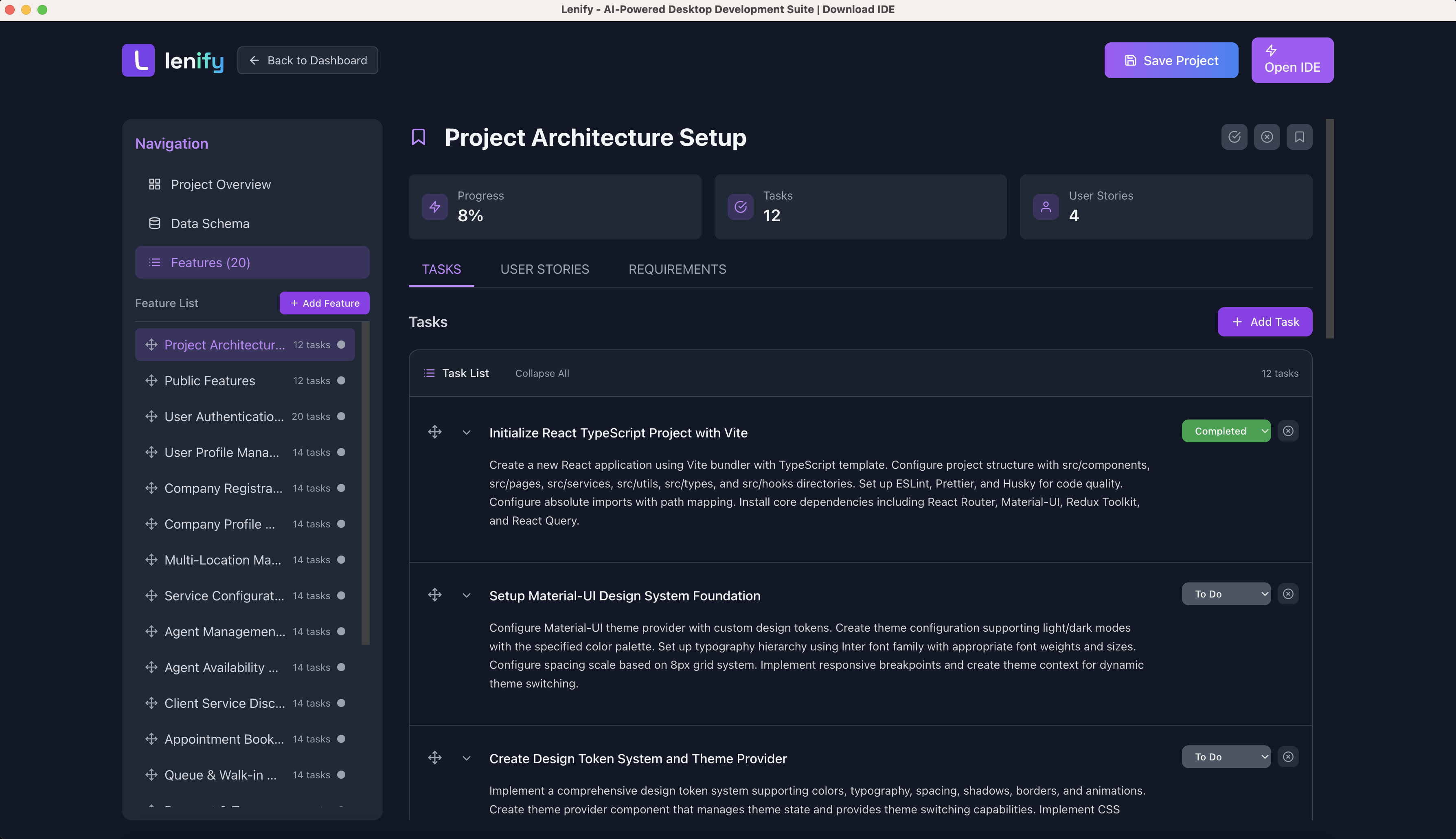 Interactive feature management with drag-and-drop reordering, status controls, and task management capabilities
Blueprint Customization
Personalization Options:
- Custom Fields: Add project-specific fields and metadata
- Template Creation: Save blueprint configurations as reusable templates
- Export Options: Export blueprints in various formats (PDF, JSON, Markdown)
- Version Control: Track blueprint changes and maintain version history
Collaboration Features:
- Team Comments: Add comments and discussions to features and tasks
- Review Workflow: Submit blueprints for team review and approval
- Change Tracking: Monitor who made what changes and when
- Approval Process: Require approvals for significant blueprint modifications
Blueprint Validation and Quality
Automated Validation
Quality Assurance:
- Completeness Check: Ensure all required sections are filled
- Consistency Validation: Verify consistent naming and structure
- Dependency Analysis: Check for circular dependencies and conflicts
- Best Practice Review: Compare against industry standards and patterns
Error Detection:
- Missing Requirements: Identify gaps in project requirements
- Conflicting Features: Detect contradictory or overlapping features
- Resource Conflicts: Identify potential resource allocation issues
- Timeline Validation: Check for unrealistic timeline estimates
Blueprint Optimization
AI-Powered Improvements:
- Efficiency Suggestions: Recommend more efficient implementation approaches
- Resource Optimization: Suggest optimal resource allocation strategies
- Risk Assessment: Identify potential development risks and mitigation strategies
- Performance Considerations: Highlight performance optimization opportunities
Blueprint Completion and Next Steps
Finalization Process
Blueprint Review:
- Complete Review: Review all generated features and tasks for accuracy
- Customization: Modify AI-generated content to match specific requirements
- Acceptance: Accept or reject features based on project scope and priorities
- Save Blueprint: Finalize and save your comprehensive development blueprint
Quality Validation:
- Requirements Coverage: Ensure all project requirements are addressed
- Technical Feasibility: Verify technical approach is sound and achievable
- Resource Alignment: Confirm resource requirements match available capacity
- Timeline Realism: Validate timeline estimates against project constraints
IDE Navigation
Development Readiness:
- Blueprint Completion: All necessary features and tasks defined and approved
- Auto-Save Confirmation: All changes automatically saved with manual save options
- IDE Navigation: Click "Open IDE" to transition from planning to development
- Blueprint Integration: Blueprint becomes your development roadmap in the IDE
Your blueprint becomes your development roadmap, guiding task-driven development in the IDE with AI assistance!
Blueprint Benefits
Development Advantages
Structured Development:
- Clear Roadmap: Well-defined path from concept to completion
- Task Prioritization: Logical order of development tasks
- Progress Tracking: Visual progress indicators and completion metrics
- Quality Assurance: Built-in quality checks and validation
Team Collaboration:
- Shared Vision: Common understanding of project goals and approach
- Role Clarity: Clear assignment of tasks and responsibilities
- Communication: Central location for project discussions and decisions
- Accountability: Trackable progress and individual contributions
AI-Powered Intelligence
Intelligent Assistance:
- Context Awareness: AI understands your complete project context
- Best Practices: Incorporates industry best practices and patterns
- Optimization: Suggests improvements and optimizations
- Risk Mitigation: Identifies potential issues before they occur
Continue to Create Project to learn advanced project creation techniques, or proceed to IDE Interface to start development.